
MAXWAVE Technical Support
FAQs
Tips
Maintenance
Operation to Tutorial
CASE STUDIES
brochures
FAQ's
What You Want to Know
Wall Printer FAQ’S
What surfaces can the wall printer print on?
Our wall printer can print on various surfaces, including brick, cement, wood, glass, metal, and plaster, ensuring vivid and durable results on almost any wall.
What is the maximum printing resolution?
The wall printer offers high-definition printing with resolutions up to 2880 DPI, delivering clear, sharp, and vibrant images.
How tall can the wall printer print?
Depending on the model, our wall printers can print up to 4 meters tall, with extensions available for even larger designs.
How fast can the wall printer complete a project?
Printing speed depends on the complexity of the design, but typically, our wall printer can cover 6-10 square meters per hour.
Is it easy to set up and use the wall printer?
Yes, the wall printer is designed for user-friendly operation. With our comprehensive training and support, users can quickly learn to set up and operate the machine efficiently.
Can the wall printer handle curved or uneven surfaces?
Yes, our advanced wall printers are are equipped with ultrasonic obstacle avoidance to adapt to uneven surfaces.
What file formats are compatible for printing?
Our wall printers support a wide range of file formats, including JPEG, PNG, TIFF, BMP, and PDF, allowing flexibility in design choices.
What maintenance is needed for the wall printer?
Regular maintenance includes cleaning the printhead, checking ink levels, and ensuring that the printer’s rails and motors are free from dust and debris for smooth operation
What You Want to Know
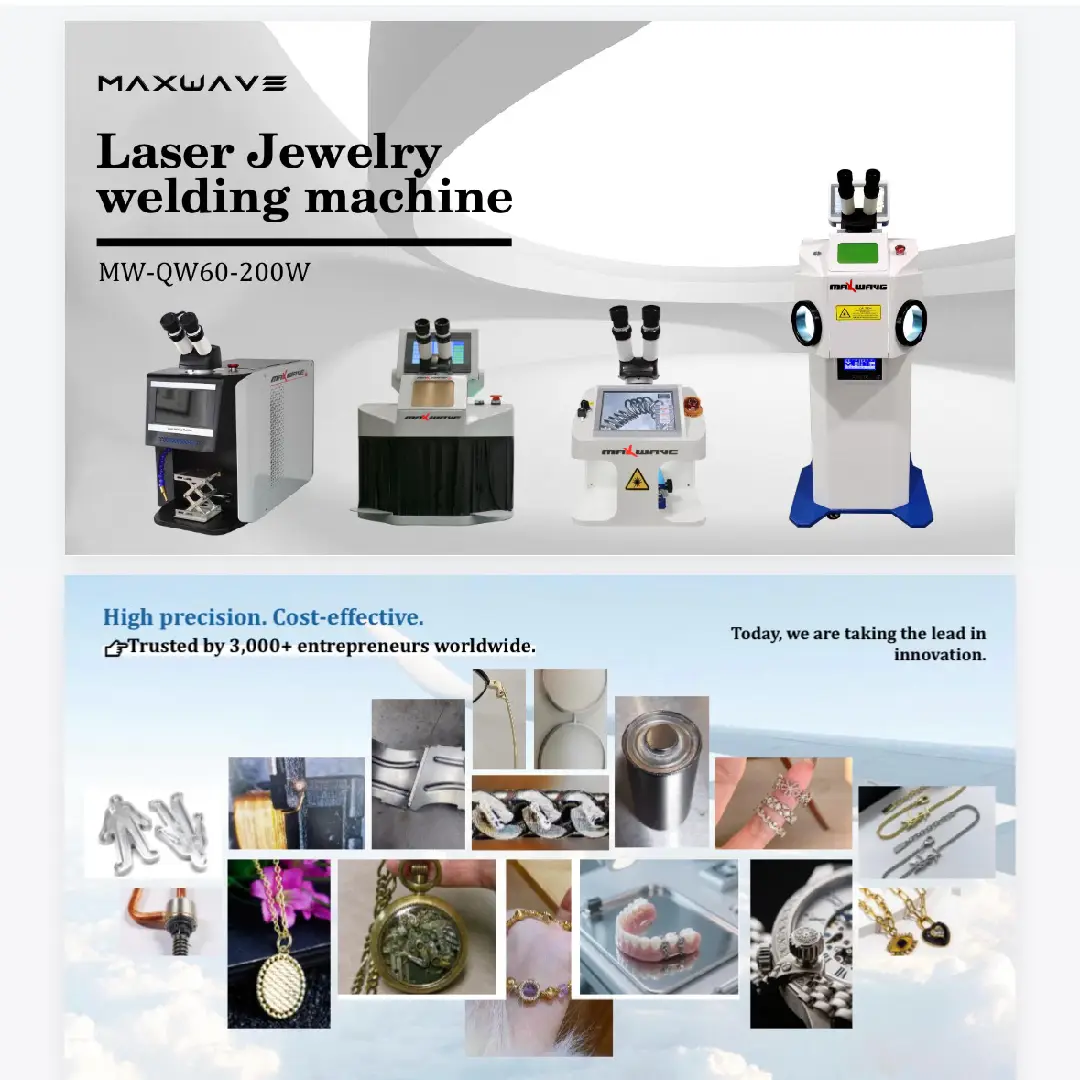
Laser Welding Machine FAQ’S
What materials can the laser welding machine work with?
Our laser welding machine is compatible with a variety of materials, including stainless steel, carbon steel, aluminum, and other alloys.
What are the advantages of using a laser welding machine?
Laser welding offers high precision, minimal distortion, fast welding speeds, and strong, clean welds, making it ideal for industries requiring fine, high-quality joints.
How thick of a material can the laser welding machine weld?
Our machines can effectively weld materials up to 10mm thick, depending on the model and material type.
What maintenance is required for the laser welding machine?
Regular maintenance includes cleaning the laser optics, ensuring proper cooling system function, and checking the alignment of the laser beam for consistent performance.
Can the machine be used for automation in production lines?
Yes, our laser welding machines can be easily integrated into automated production lines, increasing efficiency and reducing manual labor requirements.
Is operator training necessary for laser welding machines?
Yes, while the machines are user-friendly, we recommend training to ensure safe operation and to maximize the performance of the equipment.
What safety features are included with the laser welding machine?
Our machines are equipped with safety interlocks, protective enclosures, and advanced sensors to ensure operator safety during use.
Do you provide wire feeding?
Yes. Our automatic wire feeder supports 0.8–1.6 mm wire for filling gaps and welding uneven edges.
What You Want to Know
Laser Cleaning Machine FAQ’S
What materials can a laser cleaning machine remove rust or paint from?
Laser cleaners can handle metal surfaces, paint, rust, oil, oxide layers, coatings, molds, and various industrial contaminants.
Will laser cleaning damage the base material?
No. When parameters are set correctly, laser cleaning is non-contact and removes only the surface contamination without damaging the substrate.
What is the difference between pulsed and continuous laser cleaning machines?
Pulsed lasers are safer for precision cleaning and delicate surfaces.
Continuous lasers are stronger and suitable for heavy rust and thick coatings.
How much maintenance does a laser cleaning machine need?
Very little—mainly lens cleaning, checking the protection mirror, and keeping the machine dust-free. No chemicals or consumables required.
Do I need special training to operate the laser cleaner?
Basic training is enough. Most operators can learn within 30 minutes to 1 hour.
What is the average lifespan of the laser source?
Most fiber laser sources last 50,000 to 100,000 hours, depending on the brand and usage conditions.
What safety equipment do I need for laser cleaning?
Laser safety goggles, protective clothing, and an enclosed or controlled working area. Proper ventilation is recommended for smoke and dust.
Can the laser cleaning machine work outdoors or on large objects?
Yes. Handheld laser cleaners are portable and suitable for outdoor cleaning of machinery, vehicles, pipelines, and building structures.
What You Want to Know
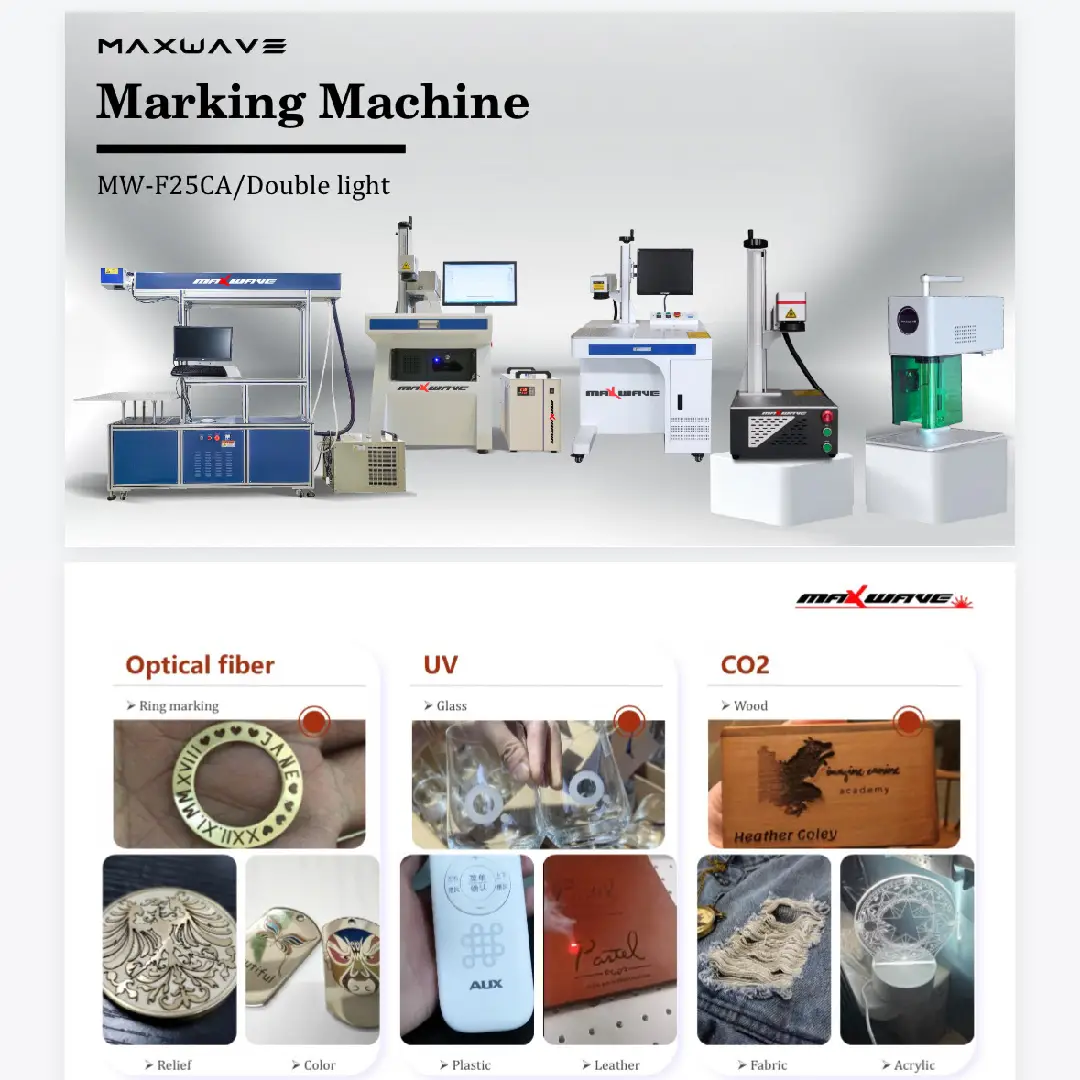
Laser Engraving & Marking Machine FAQ’S
What materials can the laser engraver/marker work on?
It can mark metals (stainless steel, aluminum, brass, copper, titanium, etc.) and many non-metals such as plastics, leather, wood, acrylic, rubber, and coated surfaces.
What is the difference between fiber, CO₂, and UV laser marking machines?
-
Fiber: Best for metals and hard plastics.
-
CO₂: Best for wood, leather, paper, acrylic, and non-metal materials.
-
UV: Best for ultra-fine marking on glass, crystal, electronics, and medical plastics.
Can the laser marking machine engrave photos or logos?
Yes. It can mark text, barcodes, QR codes, logos, and grayscale images with high resolution.
Will laser engraving damage or weaken the material?
No. Laser marking is non-contact and precise. It only changes the surface without affecting material strength when parameters are set correctly.
What software is used for laser engraving and marking?
Most machines use EZCAD, LightBurn, or brand-specific control software depending on the laser type.
How deep can the laser engrave?
Typical marking depth is 0.01–0.5 mm. Deeper engraving (1–3 mm) is possible with higher power lasers and multiple passes.
What is the lifespan of the laser source?
Fiber laser sources typically last 50,000–100,000 hours with minimal maintenance.
Do laser engraving machines require consumables?
No consumables. Only occasional lens cleaning and maintenance of the machine. No ink, chemicals, or replacement cartridges needed.
What You Want to Know
Robot Arm FAQ’S
What industries commonly use robotic arms?
Our robotic arms are versatile and widely used in industries such as manufacturing, automotive, electronics, packaging, and even healthcare for tasks like welding, painting, assembly, and material handling.
What is the payload capacity of the robotic arm?
epending on the model, our robotic arms can handle payloads ranging from 5kg to 50kg, making them suitable for a variety of applications.
How precise is the robotic arm?
The robotic arm offers high precision, with repeatability accuracy up to ±0.05mm, ideal for tasks requiring meticulous detail and consistency.
How difficult is it to program a robot arm?
The difficulty of programming a robot arm depends on the control system and programming language used. Maxwave robot arms offer user-friendly interfaces and visual programming tools, making it relatively simple for users, even those without programming experience, to get started quickly.
What is the maximum reach of the robotic arm?
Our robotic arms can reach up to 2.2 meters, depending on the model, allowing them to handle tasks across a large workspace.
Is the robotic arm safe to work alongside humans?
Yes, our robotic arms come with built-in safety features such as collision detection, emergency stop functions, and sensors that allow for safe collaboration in shared workspaces.
How easy is it to integrate the robotic arm into existing production lines?
Our robotic arms are designed for seamless integration with existing systems, and we provide full support for setting up and programming them into your production workflow.
What types of end effectors can be used with the robotic arm?
The robotic arm can be equipped with various end effectors such as grippers, welders, and suction cups, making it adaptable to different tasks like assembly, welding, and material handling.
What maintenance does the robotic arm require?
Regular maintenance involves checking and lubricating joints, cleaning sensors, and updating software to ensure smooth and reliable operation.
Does the robotic arm have any requirements for the working environment?
Yes, the ambient temperature during operation should be between 0 and 45°C (32 and 113°F); during handling and maintenance, it should be between -10 and 60°C (14 and 140°F). Humidity must be below the condensation point (less than 10% relative humidity). The work environment should minimize dust, fumes, and moisture. Flammable products and corrosive liquids and gases are not allowed in the work area.
MaxWave Machine Essential Tips
Unlock better performance, higher efficiency, and longer machine lifespan with these simple, practical tips designed for all MaxWave equipment—from wall printers to laser systems and robotic arms.
-
Always inspect the wall to ensure it’s clean, stable, and dry before printing.
-
Use 300 DPI high-resolution images to keep large prints sharp and clear.
-
Print a small 10 cm × 10 cm test sample to confirm settings before starting the full job.
-
Use the alignment guide to keep multi-section prints perfectly connected without gaps.
-
Improve ambient lighting so the wall printer can better detect surface details for accurate printing.
-
Always clean the metal surface first to remove oil, rust, and dirt for a stronger, more stable weld.
-
Select the right wobble mode—small for thin plates and wider for thick ones—to improve weld appearance and strength.
-
Begin welding with low power and increase gradually to prevent burning through the material.
-
Keep the protective lens clean to avoid power loss and ensure consistent weld quality.
-
Use argon gas protection to minimize blackening and achieve a cleaner, shinier weld.
-
Avoid holding the laser spot in one place too long to prevent overheating or micro-damage.
-
Choose the right cleaning mode—rectangular scan for large paint removal and dot or narrow scan for precise rust cleaning.
-
Maintain a 45° cleaning angle for the best efficiency in lifting contaminants.
-
Keep the fiber cable straight without sharp bends to protect it and minimize energy loss.
-
Use proper fume extraction even outdoors to improve cleaning efficiency and ensure operator safety.
-
Always run a focus test on metal to achieve deeper and clearer engraving results.
-
Avoid ultra-thin line designs by keeping line thickness above 0.2 mm for crisp markings.
-
Use multiple passes instead of one high-power pass for safer and more stable deep engraving.
-
Organize your design with color-coded layers—such as red for outlines and blue for fills—to streamline your workflow.
-
When marking plastics, use low power with high frequency to prevent burning and achieve clean white results.
-
Set a safe working zone in teaching mode to prevent collisions during robotic movement.
-
Keep the load close to joints 1 and 2 to improve stability and reduce vibration.
-
Use only 2–3 key points for most tasks, eliminating the need for complicated programming.
-
Regularly adjust lubrication and joint tension to maintain smooth motion and extend the robot’s lifespan.
-
Add a vision system to boost accuracy by 30–50%, especially for labeling, picking, and positioning tasks.

MaxWave Equipment Repair & Maintenance
Quick and practical maintenance tips to help your Wall Printer, Laser Welder, Laser Cleaner, Laser Engraver, and Robot Arm perform at their best, extend lifespan, and minimize downtime.
WALL PRINTER
1. Keep the nozzle clean: Wipe the printhead and moisture pad regularly to prevent clogging and color deviation.
2. Check rail alignment: If the printhead drifts or lines appear crooked, recalibrate the vertical and horizontal rails.
3. Monitor ink levels: Low ink may cause broken lines—refill as soon as the alert appears.
4. Clean the encoder strip: Dust on the encoder strip can cause misalignment or jitter during printing.
5. Tighten wheels and screws monthly: Prevents vibration and maintains stable printing performance.
LASER WELDER
1. Clean the protective lens regularly: A dirty lens reduces welding power and causes burn marks.
2. Check the wobble head for overheating: If the head feels excessively hot, pause and allow it to cool to avoid internal damage.
3. Replace worn nozzles: Nozzles deform after long-term use—replace them for stable gas flow and cleaner welds.
4. Inspect fiber cable bends: Avoid sharp bends that weaken laser transmission and damage the fiber.
5. Maintain stable gas flow: Irregular or weak argon gas flow results in dark or brittle welds—check for blockages.
LASER CLEANER
1. Clean the protective lens and mirror: Prevents power loss and ensures consistent cleaning performance.
2. Avoid fiber cable twisting or bending: Incorrect handling can break internal fibers.
3. Check the cooling system: Make sure water level and temperature are within recommended ranges for long-term protection.
4. Inspect smoke extraction filters: Clogged filters reduce cleaning efficiency and create safety risks.
5. Test laser output weekly: If you notice weaker cleaning results, recalibrate or clean optical components.
LASER ENGRAVER
1. Keep the F-theta lens clean: Dust affects engraving depth, clarity, and marking contrast.
2. Check galvo head screws and stability: Loose galvos cause distortion or misaligned patterns.
3. Clean the work platform: Debris or metal dust may affect focus accuracy.
4. Backup EZCAD files and parameters: Parameter loss can cause engraving errors—always keep a backup.
5. Adjust focus height regularly: Slight shifts in material thickness can impact marking quality.
ROBOT ARM
1. Lubricate joints according to schedule: Keeps movements smooth and extends component lifespan.
2. Check for abnormal noise or vibrations: These often indicate loose screws, misalignment, or overloaded motors.
3. Inspect cables and connectors: Broken or loose cables can lead to communication errors.
4. Calibrate the arm’s zero position monthly: Ensures accurate repeatability and safe operation.
5. Replace worn grippers or suction pads: Worn tools reduce grip strength and precision.
Operation to Tutorial
Watch step-by-step video tutorials to operate, maintain, and troubleshoot your Wall Printer, Laser Welder, Laser Cleaner, Laser Engraver, and Robot Arm with ease.
MaxWave Machine Case Studies
Explore how MaxWave machines help businesses overcome traditional production challenges. From fast, precise wall printing to high-accuracy laser welding, cleaning, engraving, and robotic automation, our solutions boost efficiency, reduce costs, and enhance quality across industries.
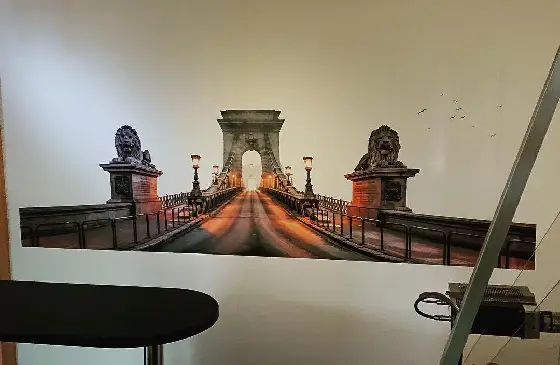
Wall Printer: Rapid Custom Murals
A design company chose MaxWave for quick custom walls.
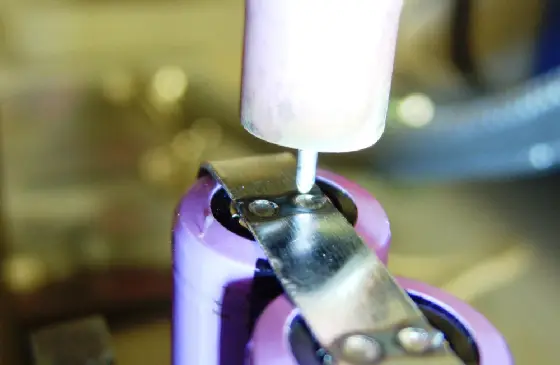
Laser Welder: Battery Module Welding
EV company sought safer large-scale battery welding
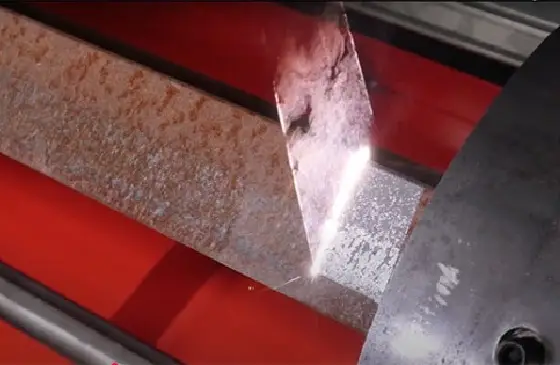
Laser Cleaner: Rust & Paint Removal
Auto parts factory needed fast coating removal.
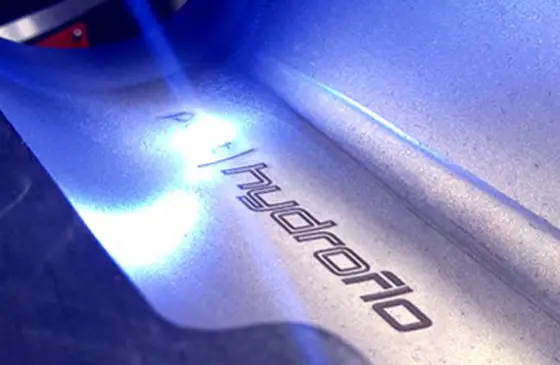
Laser Engraver: Customized Branding
Electronics company needed precise marking on enclosures
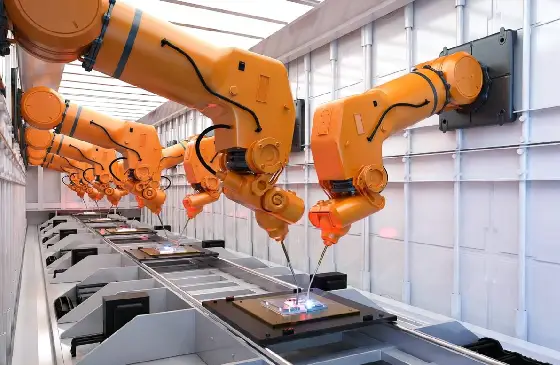
Robot Arm: Assembly Automation
Electronics manufacturer sought safer, repeatable handling
MaxWave Machine Brochures
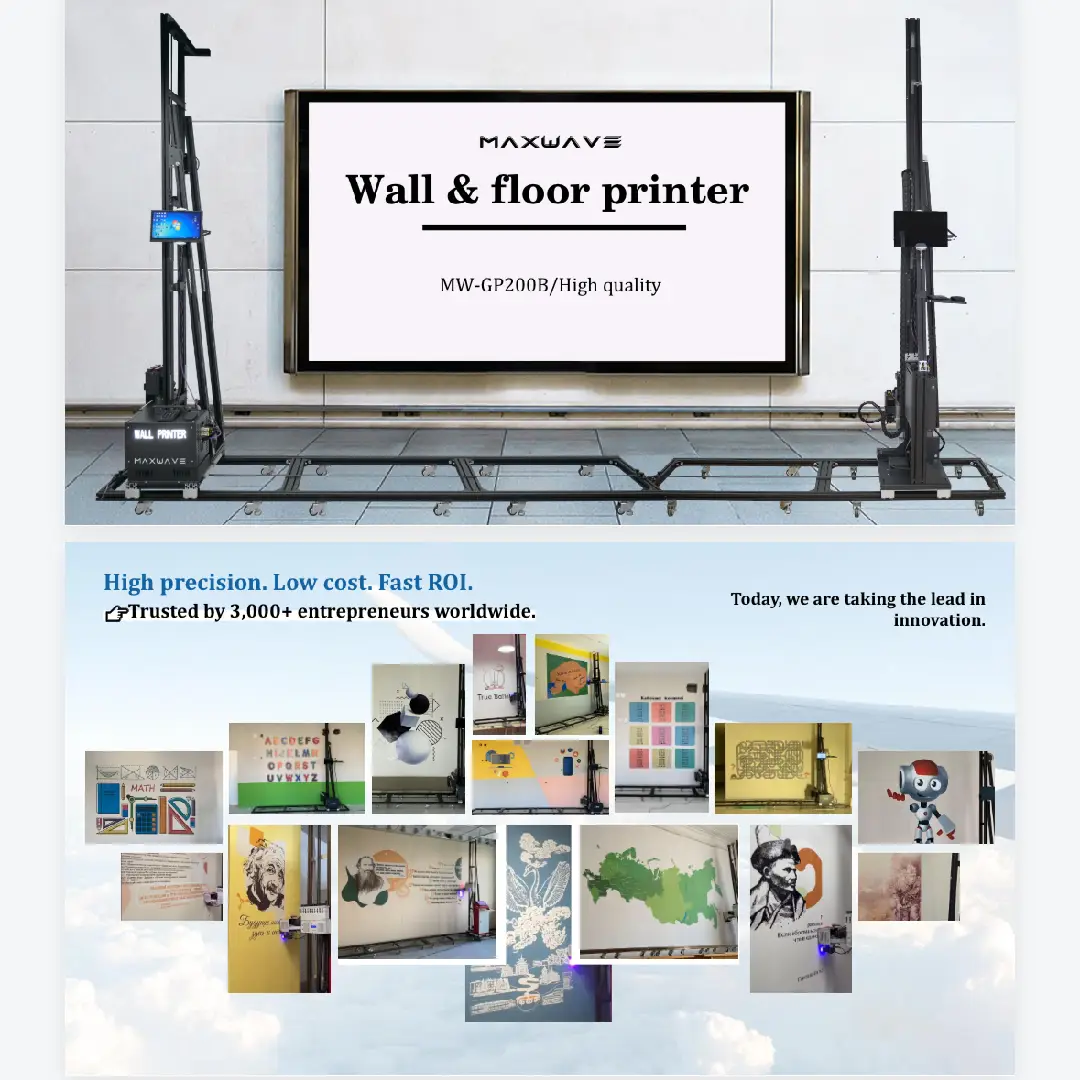
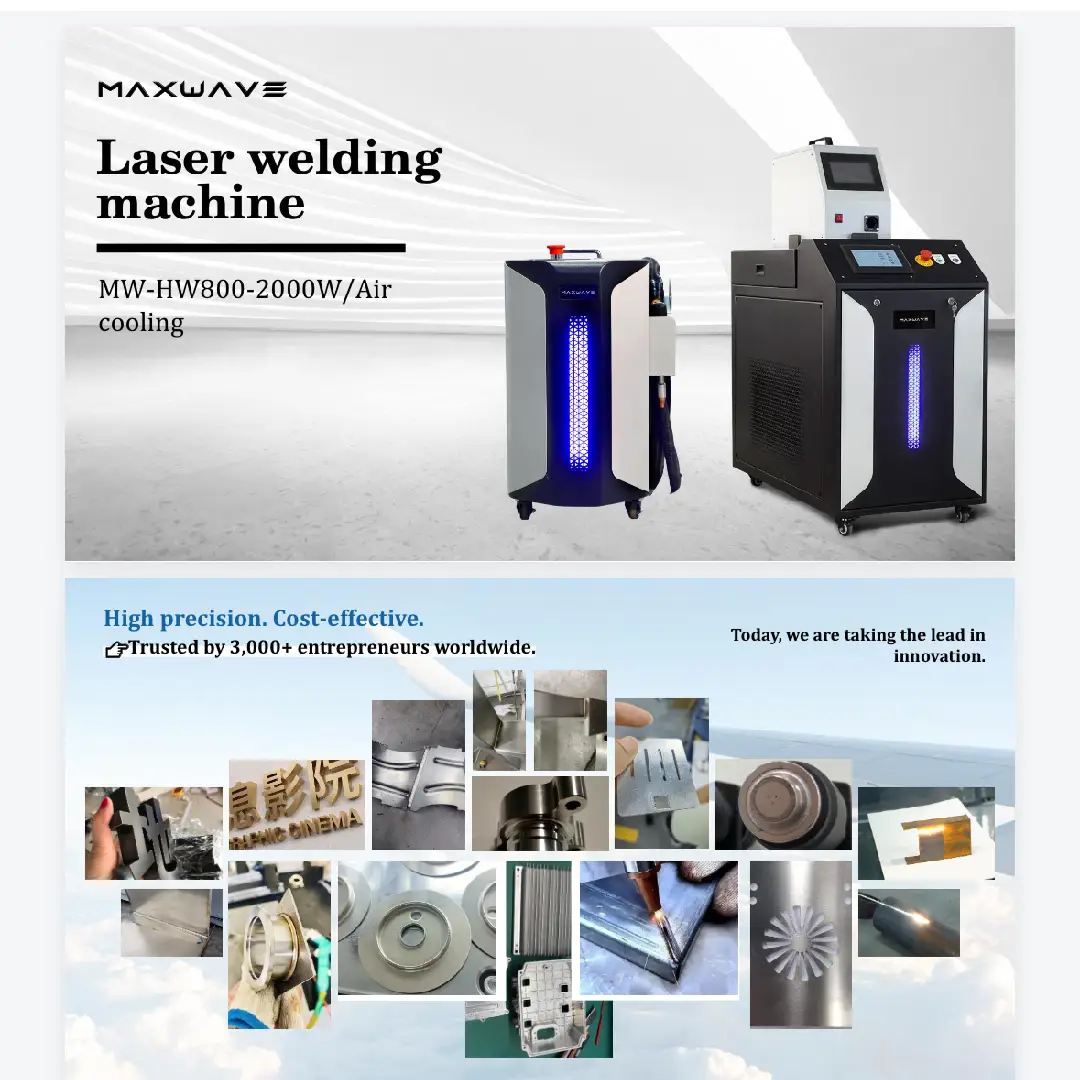
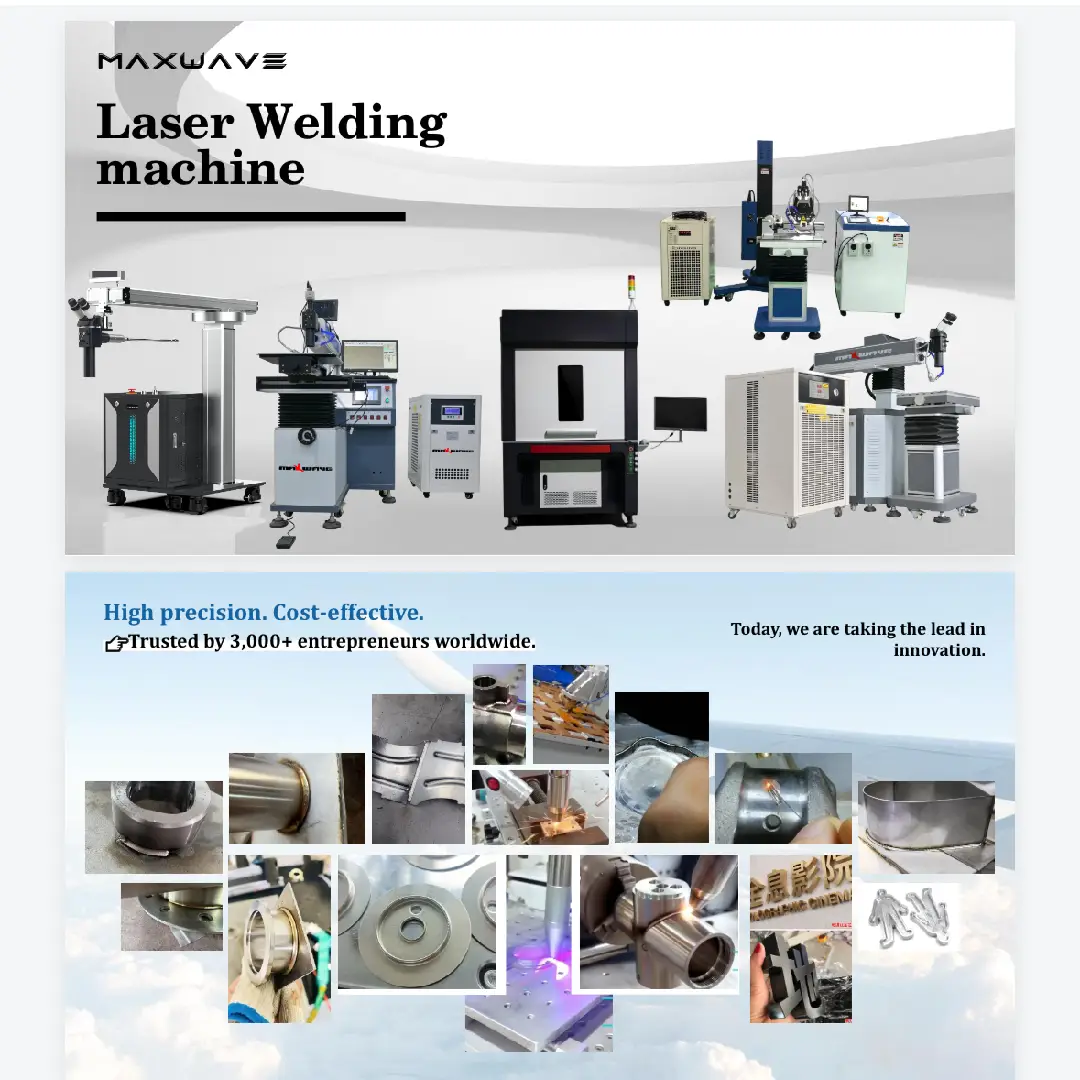
Explore and download detailed brochures for all MaxWave machines—including wall printers, laser welders, laser cleaners, laser engravers, and robot arms. Each brochure provides clear specifications, application cases, and configuration options to help you choose the perfect machine for your business.
Talk to Our Wall Printer, Laser Equipment & Robot Arm Specialists
Need guidance on wall printing projects, laser welding or cleaning applications, or automation solutions with robot arms? Just fill out the form with your project details — the more information you provide, the better we can support you. One of our experts will reach out soon with professional advice and customized solutions for your needs.
+86 18571639620